

Description
Plop Art Sudoku: Play Sudoku Without Numbers
Overview
Plop Art Sudoku offers a creative twist on the classic logic puzzle by replacing numbers with adorable, colorful creatures. Designed for users who find traditional Sudoku intimidating due to its numeric focus, this desktop application transforms the gameplay into a visually engaging and accessible experience. The software caters to individuals seeking a relaxed, brain-stimulating activity without the stress associated with arithmetic. It is especially suited for children, educators, and creative thinkers who prefer visual logic over numerical reasoning.
The game’s core purpose is to maintain the strategic depth of Sudoku while lowering the psychological barrier to entry. By using illustrated characters instead of digits, it encourages logical thinking through pattern recognition and spatial reasoning. Real-world usage scenarios include casual entertainment, classroom activities, and cognitive development exercises. The developer did not provide additional information about their background or company history.
With 100 unique puzzles available, the software supports extended engagement. However, only three levels are accessible in the free version, requiring an in-app upgrade to unlock the remaining content. This approach balances accessibility with monetization, allowing users to test the core mechanics before committing.
Key Features & Capabilities
- Number-Free Sudoku Gameplay: Replaces traditional digits with whimsical, hand-drawn creatures, making the game more approachable for non-mathematical users.
- 100 Unique Puzzles: Offers a substantial library of challenges, with varying difficulty levels to support progressive skill development.
- Visual Pattern Recognition: Encourages logical deduction through image-based placement, ideal for visual learners and younger players.
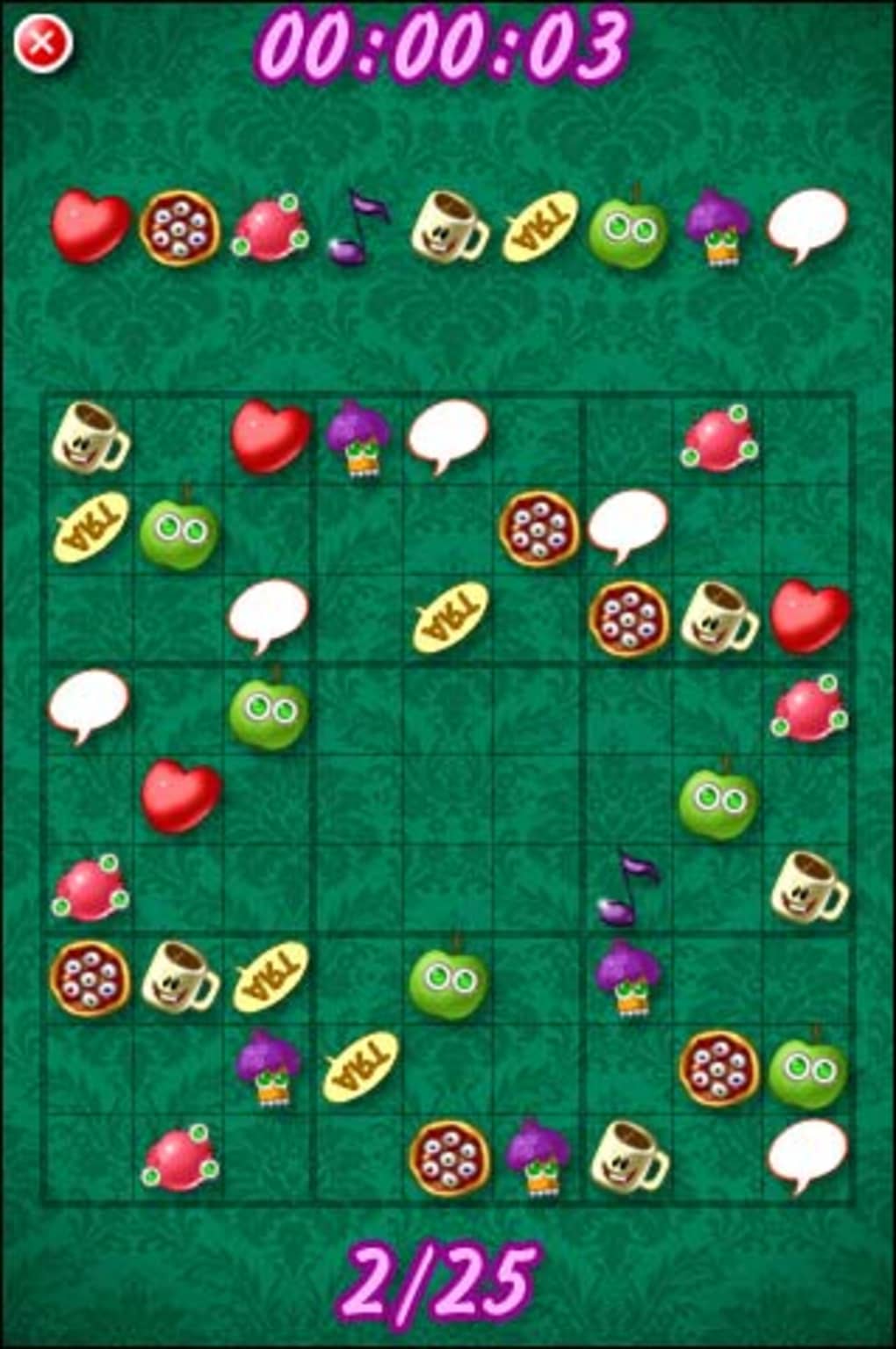
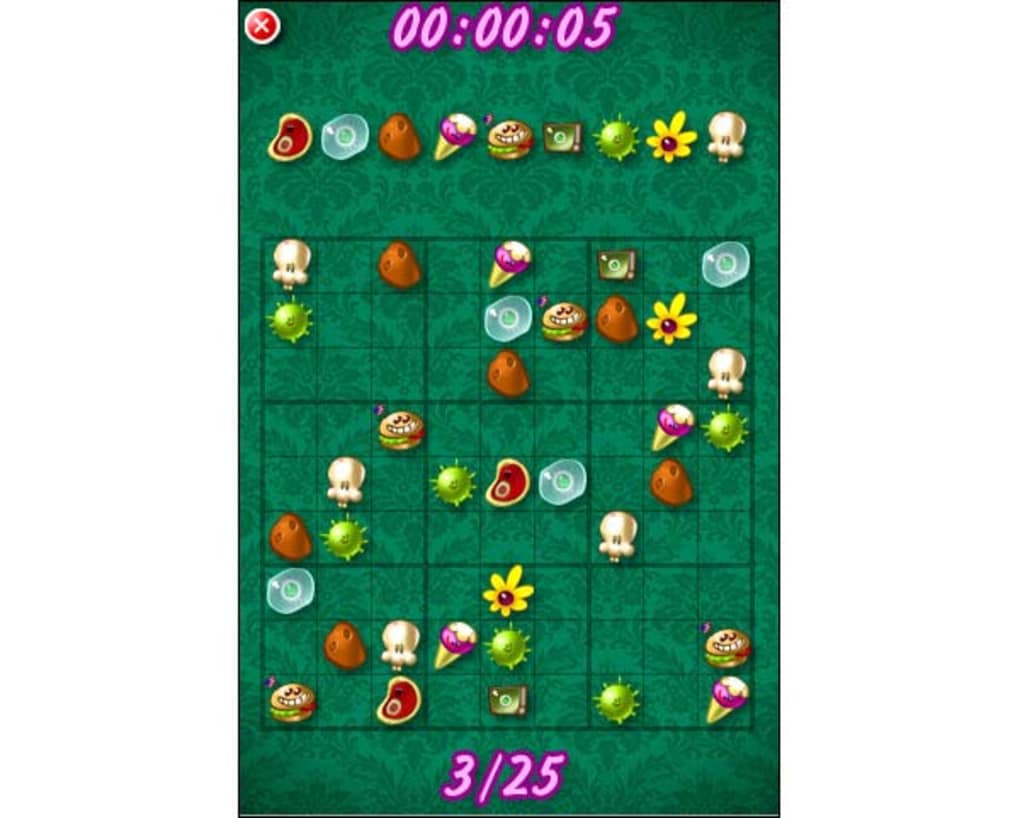
- Intuitive Touch-Based Interface: Users tap empty cells and select characters from a top panel, receiving immediate feedback via on-screen messages.
- Engaging Visual Design: Features bright, colorful graphics and playful sound effects that enhance the overall user experience.
Each puzzle requires users to place creatures in a 9x9 grid so that no row, column, or 3x3 subgrid contains duplicates. The visual feedback system—displaying “Great” when a correct move is made—reinforces learning and maintains motivation. This structure supports both entertainment and educational goals, making it suitable for use in homes, schools, or as a daily mental exercise. The game’s mechanics are consistent with standard Sudoku rules, ensuring that cognitive benefits remain intact despite the thematic shift.
User Interface, Workflow & Performance
The user interface is clean and centered around a large grid, with a row of creature icons positioned at the top. Navigation is straightforward: users tap an empty cell and select a creature from the panel above. The layout is optimized for both mouse and touch input, ensuring smooth interaction across different devices. The visual feedback system is immediate and clear, reducing user frustration during trial-and-error phases.
Workflow efficiency is high for the intended audience. The game eliminates the need to mentally convert symbols into abstract values, allowing players to focus on spatial logic. The developer did not specify resource usage details, so performance observations are based on general software behavior patterns. The application is expected to run smoothly on modern systems, given its relatively small size of 20.4 MB. Stability is not explicitly documented, but the absence of reported crashes in available data suggests a reliable core experience.
Compatibility & System Requirements
Plop Art Sudoku is compatible with both Windows and Mac operating systems, supporting a broad range of desktop environments. The software version is listed as 1.0, indicating a stable initial release. Installation requires 20.4 MB of disk space, which is minimal for a full-featured desktop application. The developer did not specify exact system requirements, including CPU, RAM, or graphics capabilities.
Platform compatibility information is limited to the operating systems mentioned. Users should ensure their system meets general desktop software standards for running graphical applications. Exact performance details were not specified, and no hardware-specific optimizations were noted. For users unfamiliar with system compatibility, it is recommended to verify that their device supports the listed OS versions before installation.
Pros and Cons
Pros
- Replaces numbers with cute, engaging creatures for a more inclusive gameplay experience.
- 100 puzzles provide long-term entertainment and cognitive challenge.
- Simple, intuitive interface ideal for children and non-technical users.
- Free version allows access to core gameplay mechanics for testing.
- Bright visuals and playful sound effects enhance immersion.
Cons
- Only three puzzles are available in the free version, limiting initial content.
- Background sound effects may become repetitive or distracting over time.
- Limited information on system requirements and performance.
- No offline mode confirmed; online connectivity may be required for full functionality.
- Upgrade path to unlock remaining puzzles is not clearly detailed.
FAQ Section
Is Plop Art Sudoku available for both Windows and Mac?
Yes, the software is compatible with both Windows and Mac operating systems.
Can I play Plop Art Sudoku offline?
It is not confirmed whether the application supports offline play. The developer did not specify connectivity requirements.
Is the software safe to download and install?
Based on the provided information, Plop Art Sudoku is distributed as a standard desktop application. No security warnings were included in the release details.
Does Plop Art Sudoku require a paid upgrade?
Yes, while the software is free to download, access to 97 of the 100 puzzles requires an in-app upgrade.
How often are updates released for Plop Art Sudoku?
Update frequency was not specified. The current version is 1.0, released on October 15, 2023.
Final Thoughts + CTA
Plop Art Sudoku successfully reimagines a classic puzzle game by removing the numeric barrier that often deters casual players. Its visual approach to logic challenges makes it an excellent choice for children, creative learners, and anyone who finds traditional Sudoku overwhelming. While the free version is limited to just three puzzles, it offers a fair opportunity to experience the core gameplay. The combination of engaging art, intuitive mechanics, and mental stimulation delivers a compelling experience.
For users seeking a fun, educational, and relaxing desktop tool that promotes logical thinking through creativity, Plop Art Sudoku stands out as a thoughtful alternative. The game’s bright design and playful tone make it ideal for daily use, whether as a brain teaser or a creative break.
Download Plop Art Sudoku now
Guides & Tutorials for Plop Art Sudoku
How to install Plop Art Sudoku
- Click the Preview / Download button above.
- Once redirected, accept the terms and click Install.
- Wait for the Plop Art Sudoku download to finish on your device.
How to use Plop Art Sudoku
This software is primarily used for its core features described above. Open the app after installation to explore its capabilities.
User Reviews for Plop Art Sudoku 0
No reviews found





